
What’s the best employee scheduling software in Canada?
The best employee scheduling software for Canadian businesses is the one built for Canadian employees, Canadian payroll obligations, and Canadian employment legislation. For most small and mid-sized employers, it’s a user-friendly platform with a simple schedule builder, mobile clock-in and clock-out, shift swapping features, and time off and holiday management all in one place.
7shifts, Atlas Scheduling, Deputy, Homebase, MakeShift and When I Work are the tools worth shortlisting. Whether it’s issues approving shift changes or finding an employee’s contact information before a scheduling conflict arises, those gaps between the workforce you have and the shift you need filled are what the best scheduling app closes. Here’s how the leading tools stack up for Canadian employers, and the savings you get when you pick the one your small business needs.
Why does having a Canadian-built scheduling tool matter?
If you operate a business in Canada, your employees’ shifts and working hours are governed by Canadian laws, and you need software designed to support employers across Canada’s 14 different jurisdictions. Overtime thresholds, holiday pay, and minimum rest periods are some of the things that foreign-made software could miss.
Total job vacancies climbed to 506,700, up 2.4% from the previous quarter. This is the first time Canadian job vacancies have increased quarter-over-quarter since the second quarter of 2022.
What’s the best workforce management software for small businesses in Canada?
With more than half of small business owners still stating labour shortages as a top barrier to growth, a tool that helps managers fill an open shift in minutes can mean the difference between operating as scheduled or missing out on business opportunities.
The best workforce management software for your business helps automate holiday pay and flags overtime hours before they cause an issue. It seamlessly exports timesheets to your payroll provider once approved, leaving you with fewer late-night what-ifs and time spent waiting for answers.
Feature comparison for employee scheduling software
- 7shifts: A popular choice for owner-operated restaurants, with tip pooling, POS integrations, and shift forecasting.
- Atlas Scheduling: A schedule builder, time tracker, and digital clock-in/out tool with real-time notifications, designed to work alongside our Canadian-made Atlas HR and Health & Safety platforms.
- Deputy: Includes low-cost plans with auto-scheduling, timekeeping, and labour forecasting tools.
- Homebase: A basic scheduling and time-tracking tool popular with hospitality and service companies.
- MakeShift: An advanced scheduling tool with enterprise-level integrations, popular with large healthcare, public-sector, and multi-location organizations.
- When I Work: A simple scheduling tool, time clock, and instant messenger with basic integrations for managing hourly employees.
How do the best employee scheduling apps compare?
Six tools rise to the top for Canadian employers, and each earns its place for different kinds of teams. Here’s our HR and health and safety experts’ take on the leading workforce management software for Canadian small businesses.
7shifts
A Saskatoon-built platform made specifically for restaurants and food service. If your operation is 100 percent hospitality, the native tip pooling, labour forecasting, and point-of-sale (POS) integrations (TouchBistro, Lightspeed, Toast, Square) are useful features. Native payroll is U.S.-only for now, but Canadian employers can pair it with third-party providers. Best for restaurants and cafés that want industry-specific features first.
Atlas Scheduling
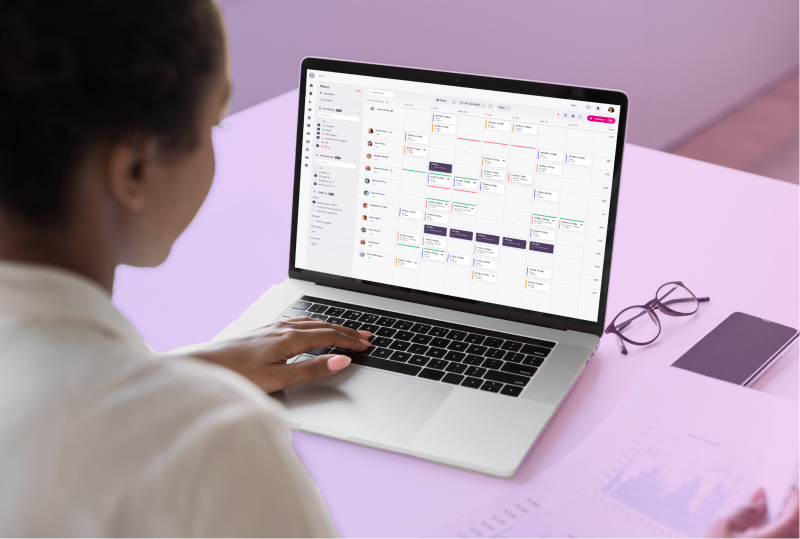
Citation Canada developed Atlas Scheduling for Canadian organizations that need centralized scheduling, time tracking, and direct communication in one place. Build, edit, and publish schedules that employees can access on supported mobile devices. Give employees a reliable digital clock-in and clock-out tool with optional geofencing to help verify locations when clocking in and out and improve payroll accuracy. Shift swaps, time off requests and availability all happen in the app, ending the group-chat scramble.
The added value: it sits on the same platform as our compliance documents and employee training, both backed by our team of Canadian HR and workplace safety experts. When a scheduling question turns into an employment standards concern, you’re only a call or click away from an answer you can trust.
MakeShift
A Canadian platform aimed at enterprise-sized, more complex operations with lots of moving parts: hospitals, municipalities, and unionized environments. Shift bidding, real-time scheduling, and enterprise integrations with platforms like UKG and ADP are its strengths.
Pricing is quote-based, so setup requires a lengthier investment, which makes it less friendly for small businesses with fractional teams responsible for several duties. Our experts find it best for larger Canadian organizations juggling multiple departmental needs with several collective agreements in play.
Deputy, Homebase, When I Work
These three are popular and worth a look—with an asterisk. When I Work and Homebase are easy, affordable ways to move out of spreadsheets and into scheduling software that’s easy to use.
Homebase’s free plan is useful for small, single-location teams. Deputy includes auto-scheduling and demand forecasting, which are helpful for bigger, multi-location teams.
All three are U.S.-first, so you’ll want to double-check that service in French is available and that support for Canadian employment standards is adequate. Ensure you’re meeting all required legislative obligations, as well as payroll handling and holiday rules, before committing.
What does the best scheduling tool look like for your small business?
It depends on the need, but the savings in time, frustration, and revenue can be significant. For example, a retail store manager in Mississauga building a holiday schedule no longer has to text eight people to fill one gap. An executive director at a seniors residence in Kelowna knows every department’s shifts and rotations are covered before Friday. A restaurant owner in Winnipeg approves shift changes and submits accurate timesheets to their ADP account in a few clicks.
That can mean hours back every week, fewer scheduling conflicts, and a team who can see their schedule the moment it’s published. Whatever your business is, good employee scheduling software doesn’t just save time; it helps you head confidently into a busy weekend rush, opening another location, or that bigger project or booking, because you know you can staff it.
What the best workforce management software offers:
- Match the tool to your team.
- Prioritize Canadian-made software with support.
- English and French language capabilities to support employers across Canada, particularly for federally regulated companies and those operating in Quebec and New Brunswick.
- Mobile clock-in and self-serve shift-swapping.
Here’s our HR advisors’ solutions to the 10 most common scheduling problems
Between covering shifts, chasing timesheets, and patching last-minute gaps, it’s clear that employee scheduling can eat up valuable time. Our guide, Top 10 Employee Scheduling Problems and How to Solve Them, lays out our HR experts’ top fixes and shows how the right tools can bring schedule building, time-tracking, and payroll into one easy-to-use system. Download the guide today!
Top 10 Employee Scheduling Problems and How to Solve Them
Discover how employee scheduling software can take the stress out of workforce management
If you want scheduling that fits the way your workforce operates, connect with one of our HR experts for a walkthrough of Atlas Scheduling.
Citation Canada clients also have access to:
- A Canadian-made health and safety platform and human resources information system (HRIS) that centralizes compliance documents and training records.
- An employee training platform with courses developed by our HR compliance and workplace health and safety experts.
- A user-friendly HR content library filled with documents, templates, policies, and checklists for teams in every Canadian jurisdiction.
Connect with an HR or health and safety consultant today or check out our pricing page for more information on our flexible packages and add-ons.